
 Reviewed by Alexandria White
How to Dispute Credit Report Information
Reviewed by Alexandria White
Quick Answer
- You have the right to dispute credit report information online, by mail or over the phone.
- Online may be the fastest and easiest method, and you can manage the process with Experian in the Dispute Center.
- Credit report disputes are typically resolved within 30 days, but can take up to 45 days.

You have the right to dispute credit report information online, by mail or over the phone with the three major credit bureaus (Experian, TransUnion and Equifax). It's possible to dispute inaccurately reported data such as addresses, hard inquiries, late payments, balances or the status of your accounts. When the information appears on multiple credit reports, you'll need to submit a dispute with each of the consumer credit bureaus.
Here's how to dispute credit report information, what you can and can't request to have removed, and what happens once you submit a dispute.
What Is the Purpose of a Credit Report Dispute?
A credit report dispute is a request to update or remove erroneous information from your credit report, which is a record of your payment history for credit cards, loans and other types of bills.
Sometimes incorrect information can affect your credit, such as a falsely reported credit card late payment. Other times, the erroneous information can be a sign that you're a victim of fraud—such as when you see a credit account or address listed on your credit report that doesn't belong to you.
If you find information you believe to be inaccurate, getting it corrected should be a top priority. The information in your credit report is the basis for your credit score, and it plays a major role in your ability to qualify for loans and credit cards. It's also used by some employers, insurers and landlords to decide whether to work with you. Ensuring it includes only accurate information is crucial for your own financial well-being.
3 Ways to Dispute Information on Your Credit Report
You can dispute credit report information with the credit bureaus online, by mail or by phone. Filing disputes online is likely the fastest and most convenient method, but you may not be able to dispute certain information online, such as an incorrect name or address.
- Online: Each credit bureau has its own online interface for submitting disputes. With Experian, you'll be asked to register for or sign in to your Experian account in the Dispute Center to start the process.
- By mail: Download the dispute form from the credit bureau and follow its instructions for mailing your dispute. A link to Experian's form and instructions are available online. The Consumer Financial Protection Bureau (CFPB) also offers a sample dispute letter. You may need to mail or separately upload copies of documents, such as a government-issued ID and recent utility bill, when disputing by mail.
- By phone: You can also call the credit bureau to dispute information. If you call Experian, a dispute specialist will walk you through the process and explain which documents you need to submit based on your dispute.
| Experian | TransUnion | Equifax | |
|---|---|---|---|
| Online | Dispute website | Dispute website | Dispute website |
| Experian P.O. Box 4500 Allen, TX 75013 | TransUnion Consumer Solutions P.O. Box 2000 Chester, PA 19016-2000 | Equifax Information Services, LLC P.O. Box 740256 Atlanta, GA 30374-0256 | |
| Phone | Call the phone number listed on your Experian credit report | 800-916-8800 | 888-378-4329 |
What Can You Dispute on Your Credit Report?
You can dispute personal or account information on your credit report you believe is incorrect, including:
- Late payments or delinquencies
- Inaccurate balances and credit limits
- Open accounts reported as closed, and vice versa
- Duplicate accounts
- Errors that may be due to identity theft
Certain items on your Experian credit report may not be disputable online. You may need to contact a dispute specialist over the phone to resolve inaccurate names, addresses or inquiries on your report. Also, some items aren't eligible for dispute at all, such as valid credit inquiries, your credit score and personal data like your current legal name, current address and birth date, if they're not inaccurate.
If you see items on your credit report that may be signs of identity theft, in addition to filing a dispute with the credit bureaus, visit IdentityTheft.gov to determine follow-up actions to take.
How to Prepare to Submit a Dispute
To prepare to submit a dispute, start by reviewing your credit report to locate any information that you believe is incorrect.
Next, gather supporting documents ahead of time to avoid delays in resolving your dispute. Not all disputes require supporting documents, but you should include any that help back up your claim. Documents that may help to resolve your dispute include:
- Bank statements
- Utility bills
- Name change documentation
- Marriage or death certificates
- Letters from creditors showing corrections
- Police reports or Federal Trade Commission identity theft reports showing an account is the result of fraud
How to Dispute Credit Report Items Online With Experian
The quickest and easiest way to dispute your Experian credit report is to check your credit report online and submit corrections through the online Dispute Center.
Here are the steps to take to submit a dispute with Experian:
- Gather the necessary documents. Before you submit a dispute online, make sure you have any screenshots and documents ready to upload to support your case.
- Start a new dispute in the Dispute Center. The Experian Dispute Center has lots of information about credit disputes, the process and what you can expect. Click on "Start a new dispute" when you're ready to start. At that point you'll be asked to sign in to your existing membership or sign up for either an Experian Service Account or a free Experian membership.
- Review your credit report. Your Experian credit report is divided into sections in the Dispute Center: accounts (there may be subsections for different types of accounts and closed accounts), public records, personal information and inquiries. Find the section that contains the information you want to dispute.
- Choose the item to dispute. Select an account to review the account history and information, or choose a different item you believe is incorrect.
- Indicate the reason for the dispute. You can select the reason for each dispute from the dropdown box. Some entries may allow you to provide explanatory comments or provide additional relevant information via documentation by asking you to attach supporting documents. Certain disputes can't be processed online, and you'll be asked to call Experian instead.
-
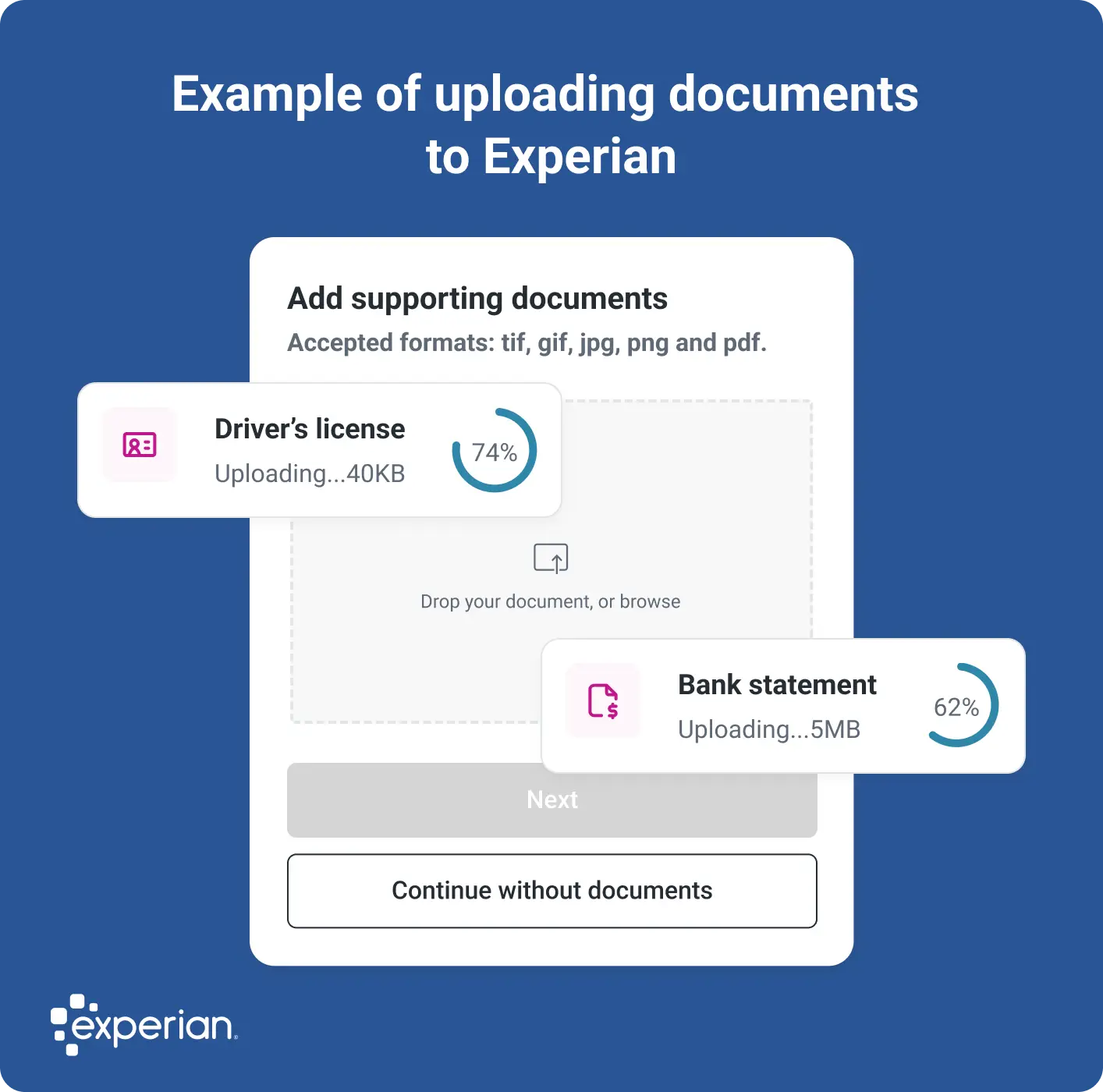
Upload documents to Experian. You can submit your documents through the Experian Dispute Center or by mail. (If you're disputing by mail, be sure to mail copies of your materials and keep all original documents for your records; you'll also need to send a copy of your government-issued ID.)
- Review and submit the dispute. Double-check your dispute request, revise the details as needed and then click "Submit." You'll see a confirmation page when the dispute is filed successfully.
What Happens After You Submit a Dispute?
After you've submitted a dispute, Experian investigates and works to resolve the issue. For example, we may contact the company that reported the information to us—called the data furnisher—to share the documents you submitted and ask the furnisher to verify that their records are correct.
Disputes are generally resolved within 30 days, but it may take up to 45 days if you submit additional documentation after the investigation begins. A dispute can lead to information being verified, updated or deleted.
Learn more: How Long Do Credit Report Disputes Take?
How to Track Your Dispute Status
You can track the status of your dispute by logging in to your Experian account and going to the Alerts section. Experian can also send you alerts via email when there's a status update. These updates could include:
- Open: A new dispute has started.
- Update: Your dispute investigation has been completed and your credit report is being updated with the results.
- Dispute results ready: Your credit report has been updated with the results of the dispute investigation.
Possible Dispute Outcomes
When the dispute process is complete, Experian will display the outcome in your account's Alerts section. Here are possible outcomes you may see and what they mean.
| Dispute Outcome | What It Means |
|---|---|
| Added | The item was added to your credit report. |
| Updated | The information or item you disputed has been updated on your credit report. |
| Verified and updated | The information you disputed has been verified as accurate; however, separate information unrelated to your dispute has been updated. |
| Deleted | The item was removed from your credit report. |
| Processed | The item was either updated or deleted. |
| Remains | The company reporting the information to Experian verified that it was accurate, so it wasn't changed. |
How Credit Report Disputes Affect Your Credit
Filing a dispute doesn't affect your credit scores. However, some credit scores might treat items in dispute differently, which could impact your scores while the dispute is being investigated.
If the dispute causes a change in your credit report, it might have a positive, negative or no effect on your scores. Here are the possibilities:
- Your credit could improve. Your scores could increase if negative information is removed, such as late payments, past-due accounts or collection accounts.
- Your credit score could drop. Your scores could decrease when accounts are removed or updated. For example, if you dispute a credit card and it's removed from your credit report, that might shorten the length of your credit history or increase your credit utilization ratio.
- Your credit may not change. If the dispute doesn't result in a change, then it won't impact your credit scores. Additionally, changes in some information, such as your personal information, won't affect your credit scores.
Learn more: What Affects Your Credit Scores?
What to Do if You Disagree With the Outcome of Your Dispute
If you don't agree with the results of your dispute, here are some additional steps you can take.
- Contact the data furnisher. Contact the company that originally provided the disputed information to Experian, such as the lender or credit card issuer, and show them proof that their records are incorrect. The contact information for each source appears on your credit report, and you can use it to reach out to them. If they verify your information, follow up to make sure they update the credit bureaus on whose reports the information appears.
- Add a statement of dispute to your credit report. You have the right to request a credit bureau to add a statement of dispute explaining why you think the information is inaccurate. Organizations that request a copy of your credit report will see the statement. You can add these statements to your Experian credit report within the Dispute Center by selecting the account or item and clicking the "Add a statement" button.
- Resubmit a dispute with additional documentation. If you have additional information or documentation to back up your dispute, you can share the new documents and dispute the item again. However, credit bureaus can dismiss a dispute as frivolous if you try to keep disputing the same item, so use this strategy sparingly.
Frequently Asked Questions
Monitor Your Credit Reports for Changes
Correcting information in your credit reports is crucial, and reviewing your reports regularly for errors should be part of every consumer's financial health toolkit. You can check your credit report for free from Experian, and you can get your other two credit reports for free weekly from AnnualCreditReport.com. Additionally, consider using Experian's free credit monitoring to check on changes to your Experian credit report.
Dispute information on your credit report
Found information on your Experian credit report you feel is innacurate? File a dispute for free to have it resolved.
Get started
About the author

Brianna McGurran
Brianna McGurran is a freelance journalist and writing teacher based in Brooklyn, New York. Most recently, she was a staff writer and spokesperson at the personal finance website NerdWallet, where she wrote "Ask Brianna," a financial advice column syndicated by the Associated Press.
Read more from Brianna